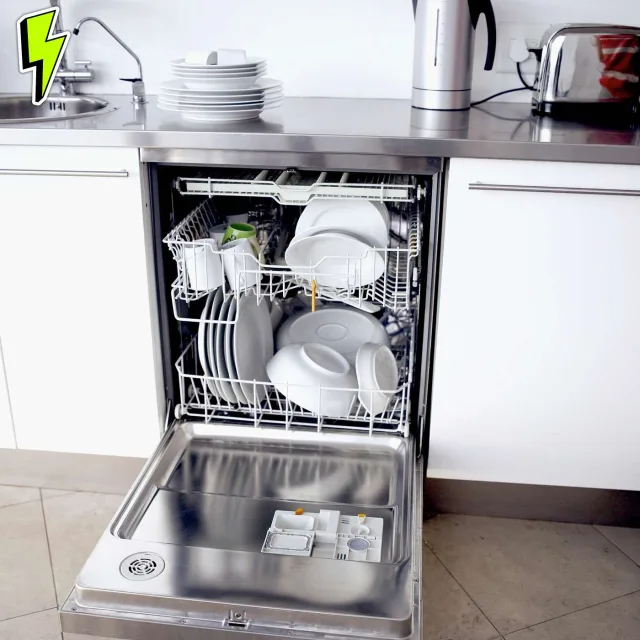
Your dishwasher doesn't need a firmware update to clean plates, and your oven shouldn't require an account to roast dinner. This episode is about the gap between promised convenience and what connected appliances actually do: collect data, gate features, and creep ads into places they don't belong.
I separate three things that get lumped together as smart. Optional convenience, like a fridge door notification, can be genuinely useful. Remote diagnostics can legitimately improve support. The real problem is the third category: core features locked behind connectivity, accounts, or cloud services, including a high end oven that needed Wi-Fi to unlock convection roast.
Independent testing shows appliances phoning home with megabytes of data weekly, and companion apps stuffed with third party trackers.
The playbook: decide if you need connectivity at all, connect only for warranty diagnostics if you must, isolate devices on a guest network, and stop paying premiums for embedded screens that age badly and invite ads. Buy appliances that work fully offline, with connectivity as an option, not a gate.
TRANSCRIPT — EP 9
Your dishwasher doesn't need a firmware update to wash your dishes. Your washing machine doesn't need the phone home to spin the drum. And your fridge absolutely 100 % does not need a full screen computer on the door especially if that screen can show you ads. Today let's talk about why Wi -Fi and appliances should be optional. why the privacy trade -offs are rarely worth it, and how smart quietly turns into monetized. Welcome back to the Tyler Woodward Project. I'm Tyler, a broadcast engineer by trade, a Linux
nerd by choice, and I enjoy demystifying tech that's supposedly too complicated for people. Here's the thesis up front. Smart is not automatically bad connectivity can genuinely help remote diagnostics software improvements convenience features but it also creates data exhaust and data exhaust creates monetization pressure and well that pressure almost always ends up as tracking upsells lockouts or advertisements Maybe all four. So first, we'll
define what you actually gain from Wi -Fi appliances. Then we'll talk about what you're really paying for. Money, reliability, privacy, and finally a practical checklist to buy and configure these things without getting hosed. Let's start by separating three very different ideas that marketing likes to mash into one word. Smart. First is
optional convenience. That's stuff like tell me when the laundry is done or ping me if the fridge door is open. Second, maintenance. and support improvements like remote diagnostics that can reduce the number of service visits because the tech can show up with the right part the first time. Third, and this is the slippery one, features that should work locally but are put behind a connection or an account to push you into the cloud ecosystem. Consumer Reports documented examples where smart appliances are
chatty, constantly sending encrypted data back to the manufacturer even under light use. In their test, appliances across major brands sent about 3 .4 megabytes to about 19 megabytes of data per week back to the manufacturer. and see our notes, that's with usage that may be less than a typical household. Now, if that data is strictly used for reliability and safety fixes, that can be a win. But the problem is, you, the owner, you don't get to observe that data directly.
You don't get to have that clean off switch and you don't get to negotiate how it's used later when the business model shifts and the business model always shifts because the appliance sale well that's a one -time transaction but if they can get you hooked on services advertising and data profiling well that's a recurring revenue stream here's the part That I think most people miss companies aren't adding Wi -Fi Because it's a nice thing to have they add Wi -Fi because once the device is connected it can be turned
into a platform and platforms have two magnets telemetry and monetization Let's connect this to real life with a couple of concrete examples You know how it actually goes wrong type stories One failure mode is feature gating where a device That feels like it should be local gets tied to connectivity for some reason or another back to consumer reports They covered a case where a thirty six hundred dollar Yeah $3 ,600 GE wall oven required Wi -Fi to unlock convection roast
mode, even though convection cooking predates Wi -Fi by decades. GE's explanation? As reported by Consumer Reports, it included pushing, and I put this in air quotes, pushing a better with time mindset and enabling enhanced features via software. Another failure mode is ads showing up in places they don't belong. Samsung has published support instructions for turning off cover screen
ads on its Family Hub smart fridges. which is Well a pretty solid indicator that ads can be part of the experience Even if there's a toggle today The deeper issue is that the product category now Has an ad surface at all Because that means incentives they're gonna change over time. Eventually you will not have that toggle button and the biggest sideways issue is privacy because connecting appliances create a timeline of your life. Consumer
Reports describes how connected appliances can collect information ranging from usage patterns to personal information collected through companion apps and notes that some apps can include third party trackers. Consumer Reports specifically calls out that the LG ThinQ app contained 10 third -party trackers and their analysis. And that 10 is on the high side among mobile apps and their testers' experience. And this is where
The smart isn't bad nuance really matters Remote diagnostics can be helpful But it doesn't require collecting every little piece of data forever a Washer doesn't need your data birth to wash your hoodie and a fridge For sure as hell doesn't need your geo location to keep the milk cold So when the data collection exceeds What's needed for function and safety? That's a signal. The device is being optimized for the company. Not for you. So what should a power user actually
do like this weekend? Well, here's my practical playbook. First, decide if you need network features at all. If the only benefit is cycle done notifications, that's usually not worth creating a new always on data source in your house. If the benefit is remote diagnostics during warranty, well, that could be helpful. Temporarily, connect it when needed, then disconnect it. Second, treat the phone app as part of the product that you're buying. If the app is loaded with trackers, you're not just buying an appliance, you're buying an
ongoing relationship with an ad tech shaped ecosystem. Consumer Reports recommends reducing exposure by changing location permissions and disabling app tracking on your phone where possible. Third, isolate anything. you do connect to your wifi. Consumer reports also suggest putting smart devices on a guest network to keep them separated from your main network, which houses your laptops and your phones, reducing the blast radius if the device or account gets compromised. Fourth,
don't pay extra for a screen you don't need. A fridge door screen is a computer. in a hot, high humidity, high touch environment. And if it becomes an ad surface, you just paid to install a billboard in your own kitchen. If a feature can be done with a phone you already own, paying a premium for a built -in screen usually fails the value per dollar test. Finally, a little shopping rule of thumb. Prefer appliances that work fully offline Wi -Fi should be an optional convenience not Required to access core cooking
modes or basic functions if a store listing or demo model can't clearly explain or show you Like a demonstration of how it works without an account. That's a reason to keep on looking So no most people Don't need Wi -Fi in a dishwasher or a washing machine or a fridge and a screen on a fridge door is often a pricey shortcut to future annoyance Smart can be fine But once the device is connected it starts producing data exhaust and data exhaust attracts monetization pressure like crumbs attracts ants Visit TylerWoodward
.me Follow at TylerWoodward .me on Instagram and threads. Subscribe and like the show on your favorite podcast platform. I'll catch you next week.